Boudoir Photo Editing Tips (Lightroom)
Boudoir photography captures the essence of confidence, sensuality, and artistry. The magic of these images lies not only in the subject's pose and expression but also in the post-processing that enhances their beauty and emotional impact. Lightroom, with its powerful editing tools, is an excellent choice for boudoir photographers seeking to elevate their work. Here are expert tips for editing boudoir photos in Lightroom to create captivating and elegant results.
1. Develop a Cohesive Look
Before diving into individual photo adjustments, determine the overall aesthetic you want to achieve. Boudoir photos benefit from a consistent look across a series. Decide on the mood – whether it's soft and romantic, bold and confident, or timeless and classic. This decision will guide your color grading and tonal adjustments.
2. Master the Basics: Exposure and Contrast
Start by adjusting the exposure to ensure your images are neither too dark nor too bright. Boudoir photos often feature soft lighting, so a slight underexposure can enhance the romantic atmosphere. Use the contrast slider to add depth without making the photo harsh. A small increase in contrast can make skin tones pop while maintaining a soft appearance.
3. Embrace the Power of Color Grading
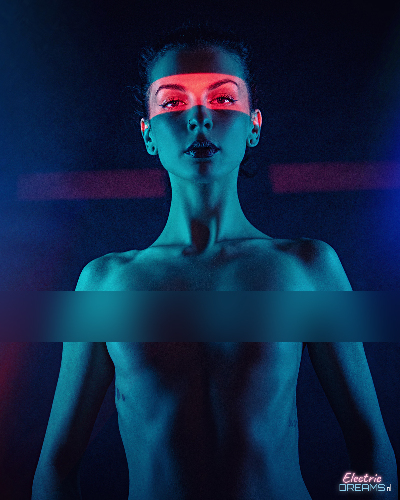
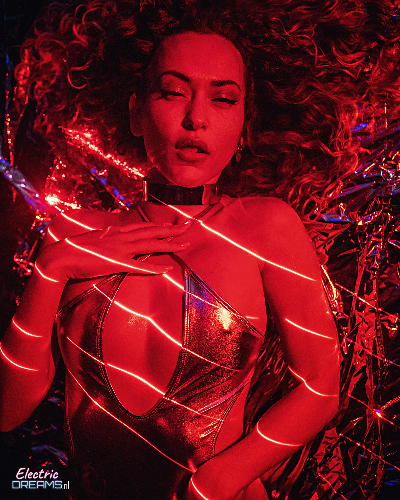
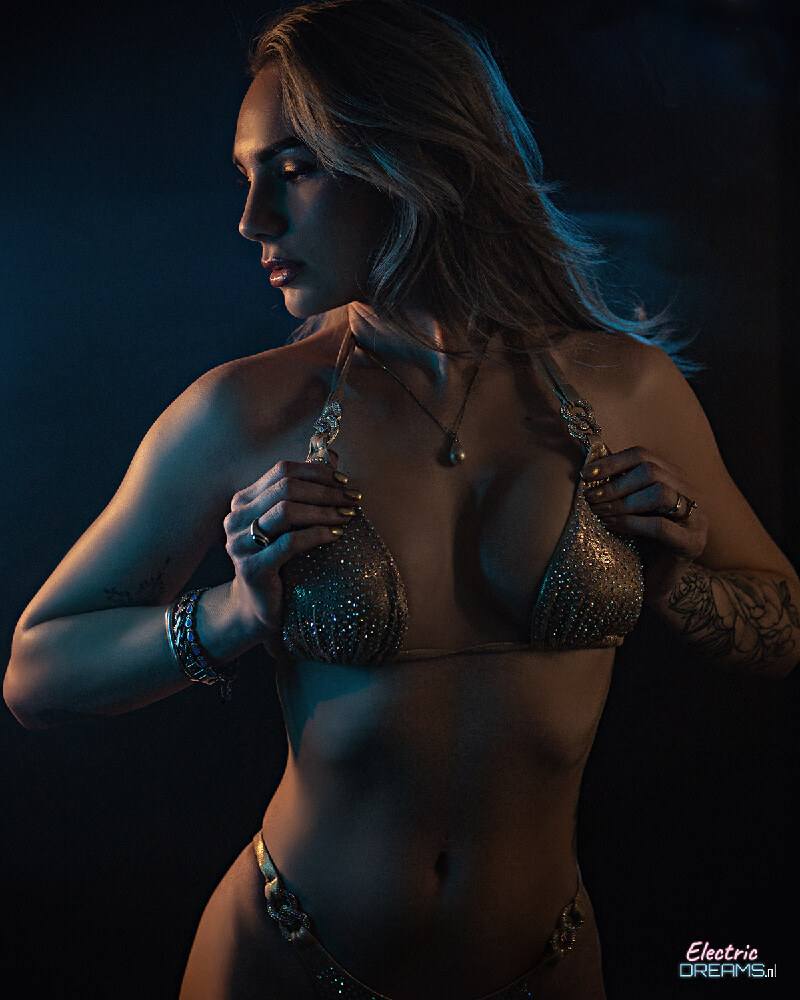
Color grading is where boudoir photos truly come alive. Use the HSL (Hue, Saturation, Luminance) panels to fine-tune colors. For a warm, romantic look, boost the red and orange tones slightly while reducing blues. The skin tones should be the focal point of your color adjustments. Increase the saturation of reds and yellows subtly to enhance natural skin tones without looking unnatural.
4. Enhance Skin Texture
Boudoir photos often feature soft lighting that can soften skin textures. Use the Clarity and Texture sliders to add subtle definition without overdoing it. A small amount of clarity can add depth to facial features and contours, while the texture slider can enhance skin details gently. Be careful not to overuse these sliders, as they can look unnatural if applied too aggressively.
5. Adjust Whites and Blacks Carefully
Boudoir photography frequently involves skin tones that require precise adjustments to the whites and blacks. Use the Whites and Blacks sliders to ensure that skin tones remain true and smooth. Avoid pushing the blacks too far, as this can make subjects look harsh. A subtle adjustment to the whites can brighten eyes and enhance the overall glow of the skin.
6. Use Presets Strategically
While Lightroom presets can be incredibly useful, they should be used thoughtfully in boudoir photography. Create custom presets that align with your desired aesthetic, or use existing ones as a starting point. Always fine-tune presets to match your specific photos, as no preset can perfectly capture every subject's unique qualities.
7. Focus on Eyes and Lips
These areas are often the focal points of boudoir photos. Use the Adjustment Brush to selectively enhance eyes and lips. For eyes, slightly increase contrast and saturation to make them appear more vibrant and awake. For lips, a touch of red can make them stand out without looking artificial. Be subtle in these adjustments to maintain a natural look.
8. Add Subtle Grain for a Vintage Touch
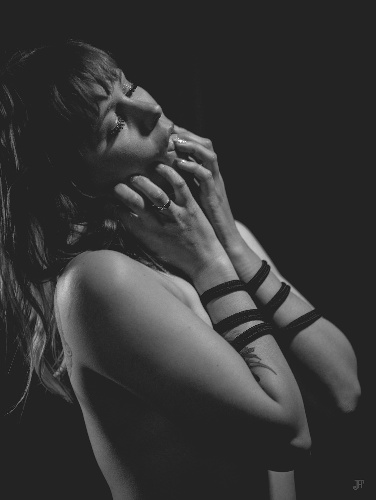
Lightroom's Grain panel can add a subtle film grain to your boudoir photos, giving them a vintage or timeless quality. Use the Grain slider sparingly – a small amount can add texture without looking distracting. Experiment with both the luminance and color grain options to see what works best for your photos.
9. Utilize the Radial Filter for Selective Adjustments
The Radial Filter is a powerful tool for boudoir photography. Use it to create a vignette effect, drawing attention to the subject's face and upper body. You can also use it to selectively adjust exposure or color for specific areas of the photo. For example, you might darken the background slightly while brightening the subject's face for a more dramatic effect.
10. Fine-Tune with the Tone Curve
The Tone Curve allows for precise control over shadows, midtones, and highlights. For boudoir photos, consider creating an S-curve to add contrast and depth without making the image look harsh. Be cautious not to push the highlights too far, as this can lose detail in important areas like eyes or skin.
11. Don't Forget to Adjust White Balance
Boudoir photos often take place in soft, warm environments. Use the White Balance tool to ensure your images have the correct color temperature. A slight shift towards warmer tones can enhance the romantic atmosphere. However, be careful not to overdo it, as excessively warm photos can look unnatural.
12. Consider Export Settings
When exporting your edited boudoir photos, choose the appropriate file format and quality. JPEG is usually sufficient for web use, but TIFF might be better for print. Always select the highest quality setting to ensure your final images look as good as possible. Consider creating multiple export versions – one for social media, one for print, and one for high-resolution use.
13. Use Presets for Efficiency
Once you've developed a signature look, create presets that encapsulate your editing style. These can save you time and ensure consistency across your boudoir portfolio. However, remember to tweak each preset for individual photos to maintain uniqueness and artistry.
14. Experiment with Split-Toning
Split-toning can add a unique artistic touch to boudoir photos. Use the split-tone settings to apply warm tones to highlights and cooler tones to shadows. This can create a subtle contrast that adds depth and interest to your images without being distracting.
15. Always Back Up Your Work
Editing boudoir photos involves making significant changes, so always work with copies of your original files. Use Lightroom's non-destructive editing features to make adjustments, but be sure to back up your raw files and edited versions to prevent data loss. Consider using cloud storage services to ensure your work is safe and accessible from anywhere.
Conclusion
Editing boudoir photos in Lightroom is an art form in itself. It requires a balance between enhancing the subject's beauty and maintaining an authentic, artistic expression. By following these tips, you can develop your own unique style and create stunning boudoir images that capture the essence of sensuality, confidence, and elegance.
Remember, the goal is not to create flawless images, but to enhance the natural beauty of your subjects and convey the emotional depth of the moment captured. With practice and attention to detail, your boudoir photography will continue to evolve and captivate audiences.